
Get help with your courses
Find a tutor your school has approved, book a time, and meet online or on campus. All in the Nimbus app.
How it works
Get the app
Download Nimbus for iOS or Android.
Log in with your school
Use your school account. Your details stay secure.
Book a session
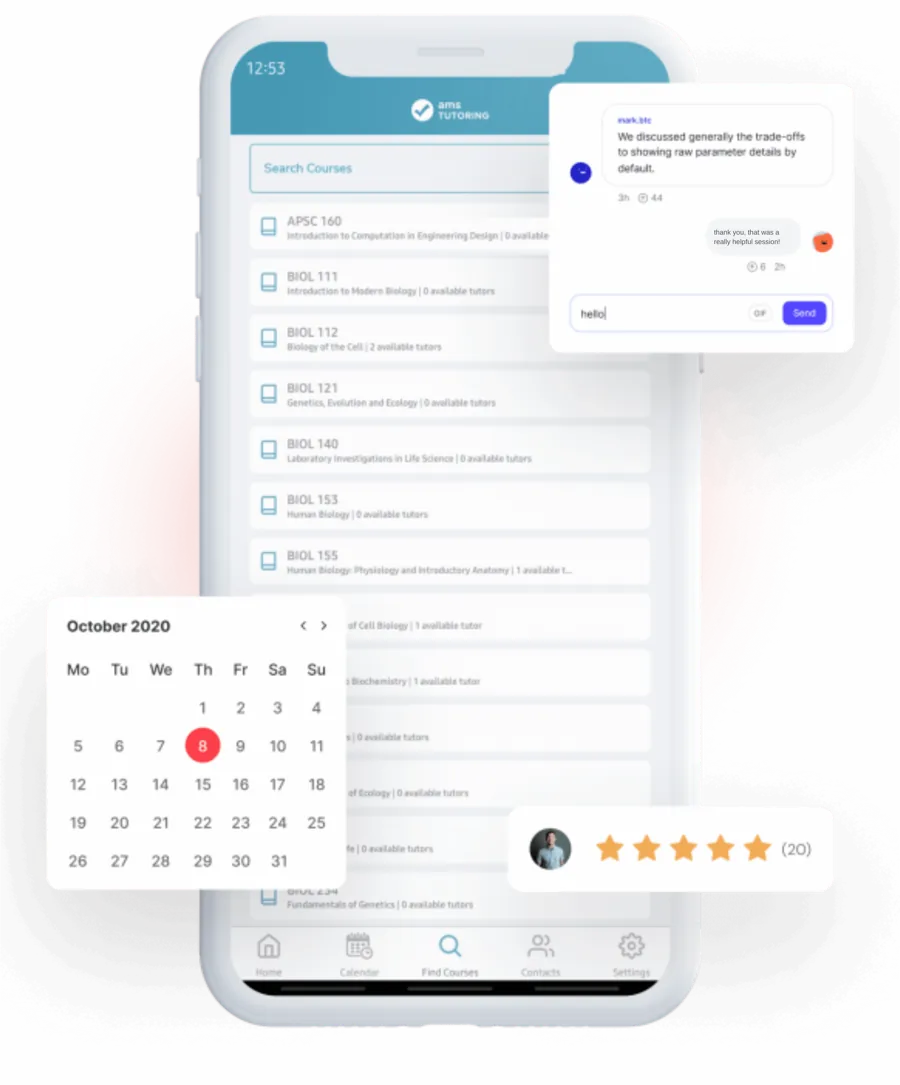
Search for your course, pick a tutor and a time, or check in to a drop-in session.
Get tutored
Meet at an approved spot on campus, or online with screen sharing and a whiteboard.
What students say after tutoring with Nimbus
3,467
responses to the Nimbus Impact Survey
Self-reported outcomes after tutoring.
97%better grades
96%more academic confidence
95%of tutors rated 4.5 stars or higher
Made for busy students
- Book around your schedule. Sessions sync to your calendar.
- Sign in with your school account. Single sign-on keeps your details secure.
- Chat and share files with your tutor in the app. No phone numbers needed.
- No trip to the ATM. Pay in the app if your program charges. Cancellations, refunds, and subsidies are supported.
- Rate your session and tell your tutor what helped.
- Message Nimbus support or your school’s contact from inside the app.
Book and join sessions from your computer
Find your course, book a tutor, and join your online sessions in the Nimbus web app.
Book on the web or in the mobile app, whichever works for you.

Want Nimbus at your school?
Nimbus is available where your school or students’ union has set up a program. Can’t find yours? Tell us, and ask your tutoring or learning centre to talk with us.